How it works
From flight schedule to published shift bid
ShiftLine connects each planning step to the next, so the lines people bid on can always be traced back to the flights, standards and contract rules behind them.
The planning workflow at a glance
Step 1: Flights
Import the schedule from FlightAware AeroAPI or an SSIM, CSV or Excel file. Arrivals and departures are linked into turns, including overnights.
Step 2: Demand
Demand rules turn each flight into staff and equipment per interval, per workgroup and function — average, busy-day P85 and max.
Step 3: FTE
Shift fit and monthly shrinkage turn work hours into the FTE range you need to hire and roster.
Step 4: Bid lines
The solver builds full-time and part-time lines that cover demand, follow your contracts and land on your targets.
Step by step
1. Set up stations, contracts and rules
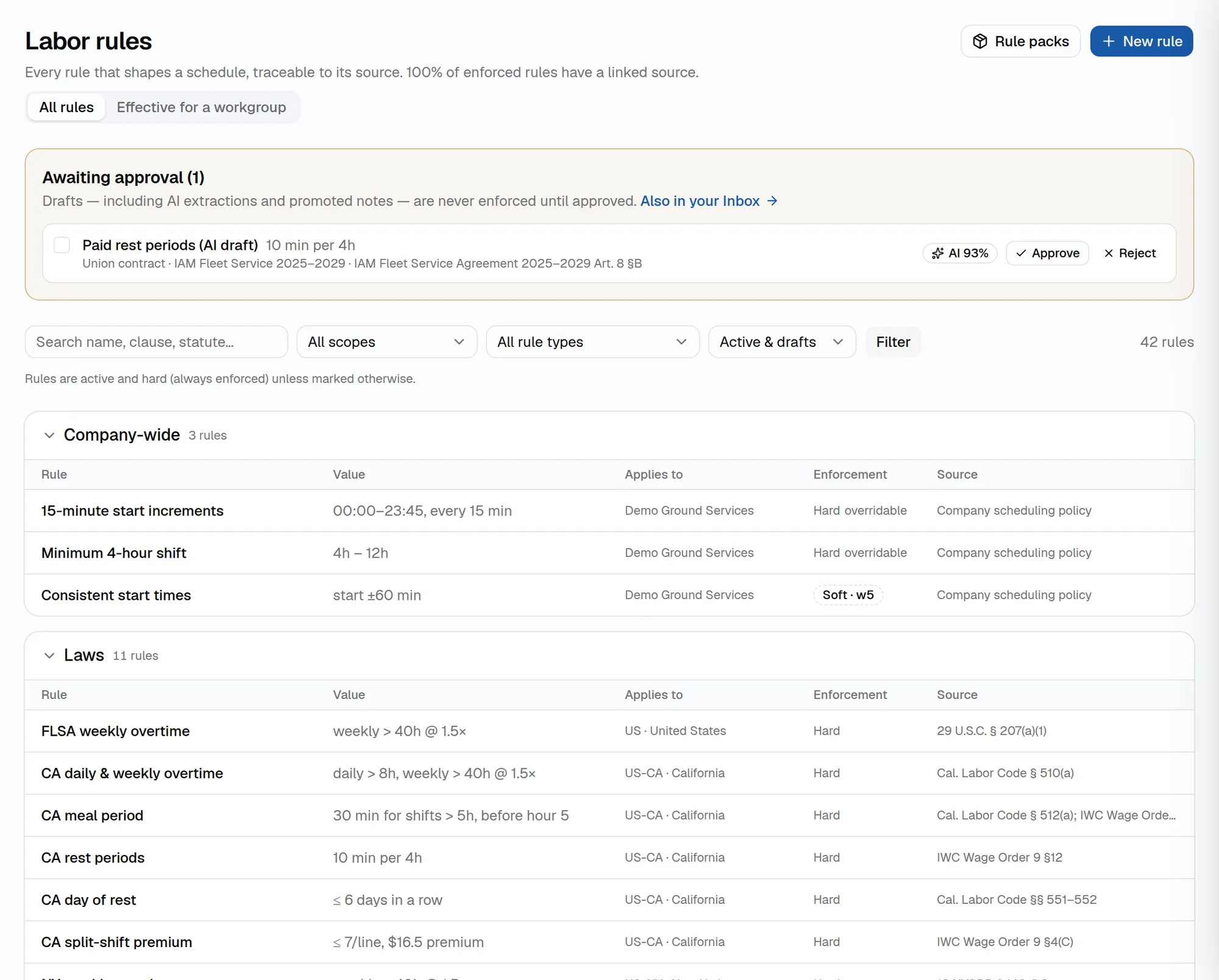
Add regions, stations, workgroups and functions — or import them from CSV or Excel — and attach union contracts. Load starter labor rule packs and staffing standards, upload contracts for AI-proposed rules, and approve what applies. A setup guide walks new companies through it.
2. Import the flight schedule
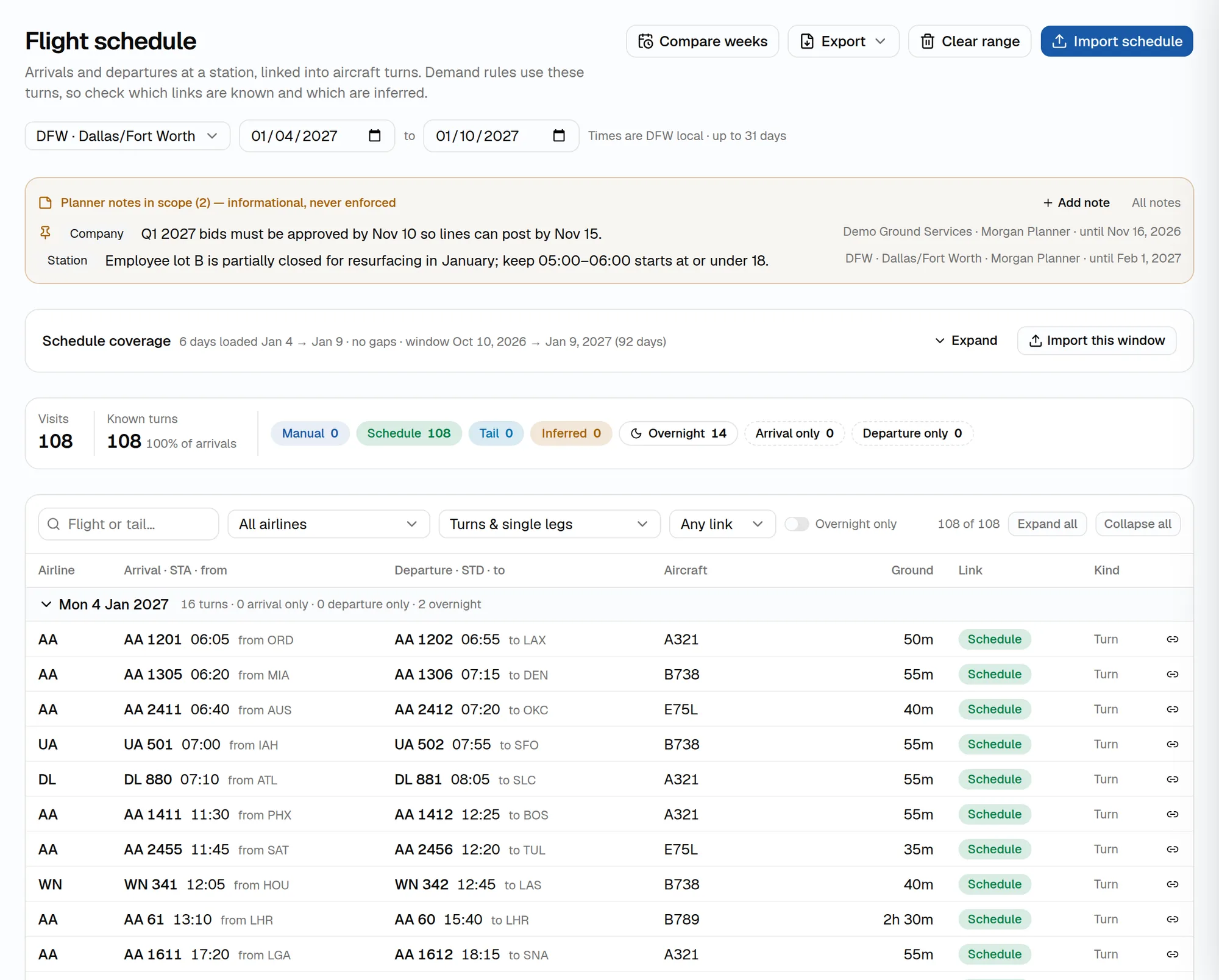
Pull a station’s schedule from FlightAware AeroAPI or upload an SSIM, CSV or Excel file. Arrivals and departures are linked into turns, including overnights, and coverage shows which dates are loaded.
3. Generate demand
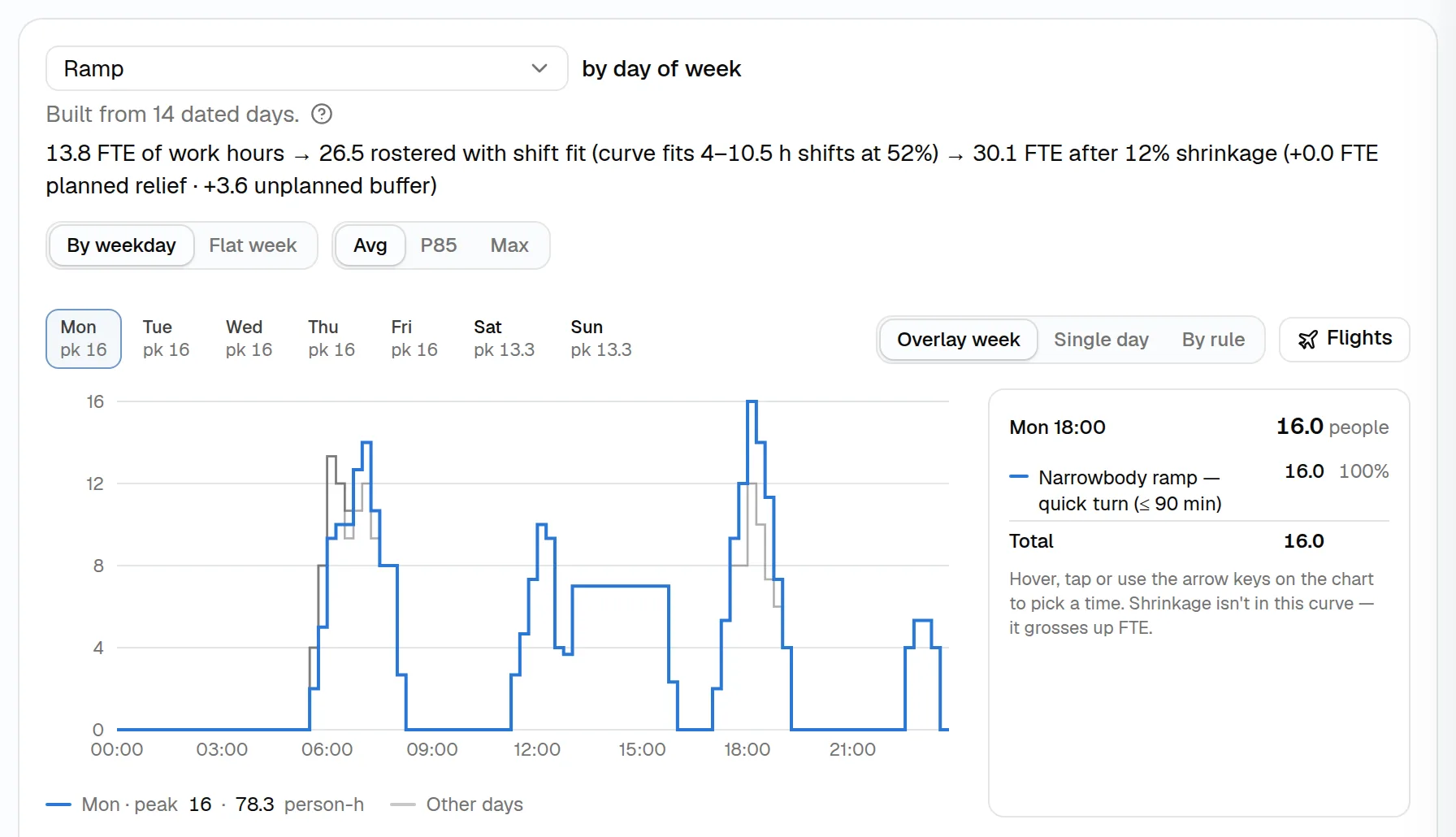
Active demand rules are applied to every flight to produce staff and equipment per interval for each workgroup and function: average, busy-day (P85) and max curves, a per-rule breakdown and the flights behind each peak.
4. Size the workforce
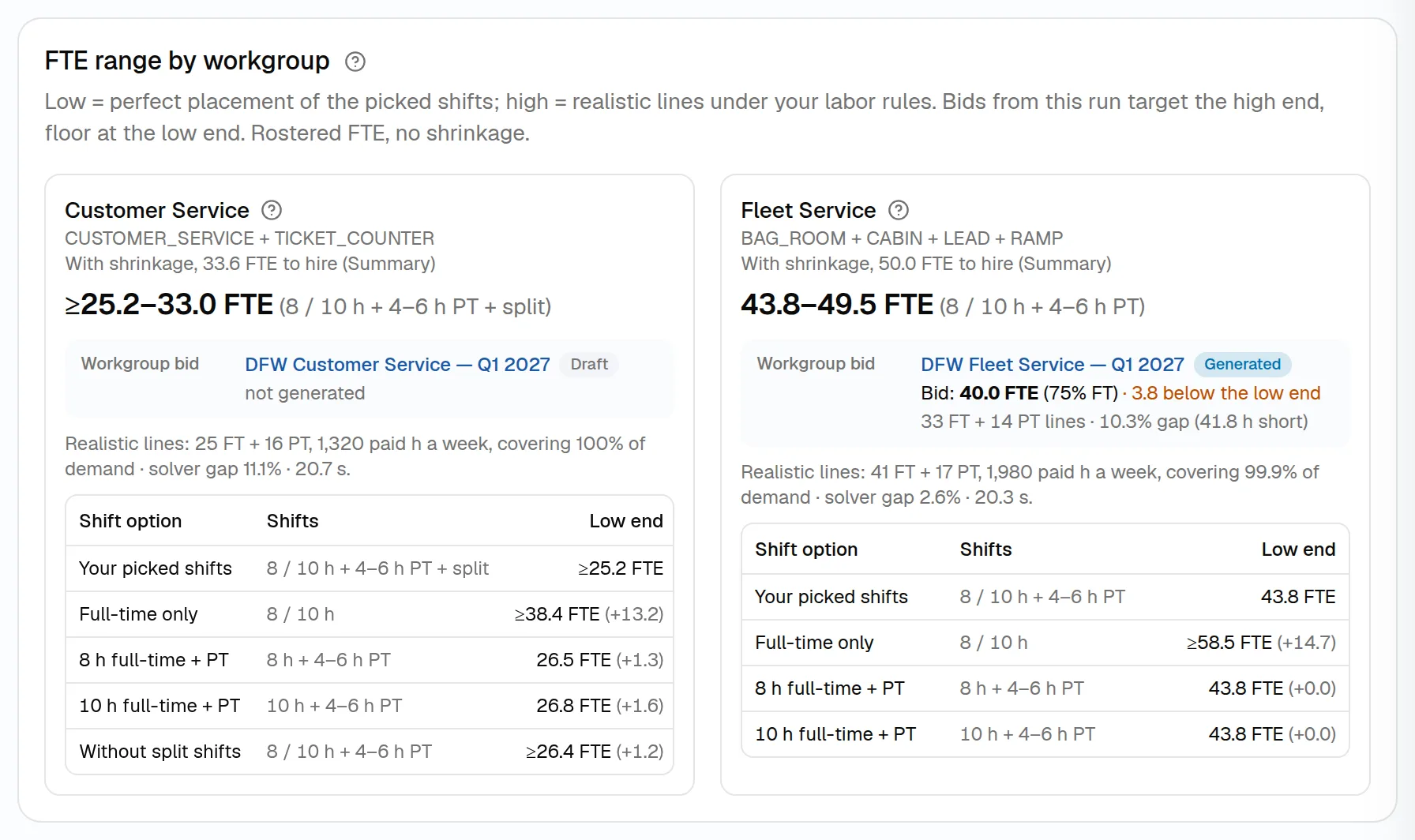
Shift fit and monthly shrinkage turn work hours into FTE. The FTE range compares perfect shift placement with realistic lines under your rules, and the demand run becomes the bid curves for each workgroup.
5. Generate bid lines
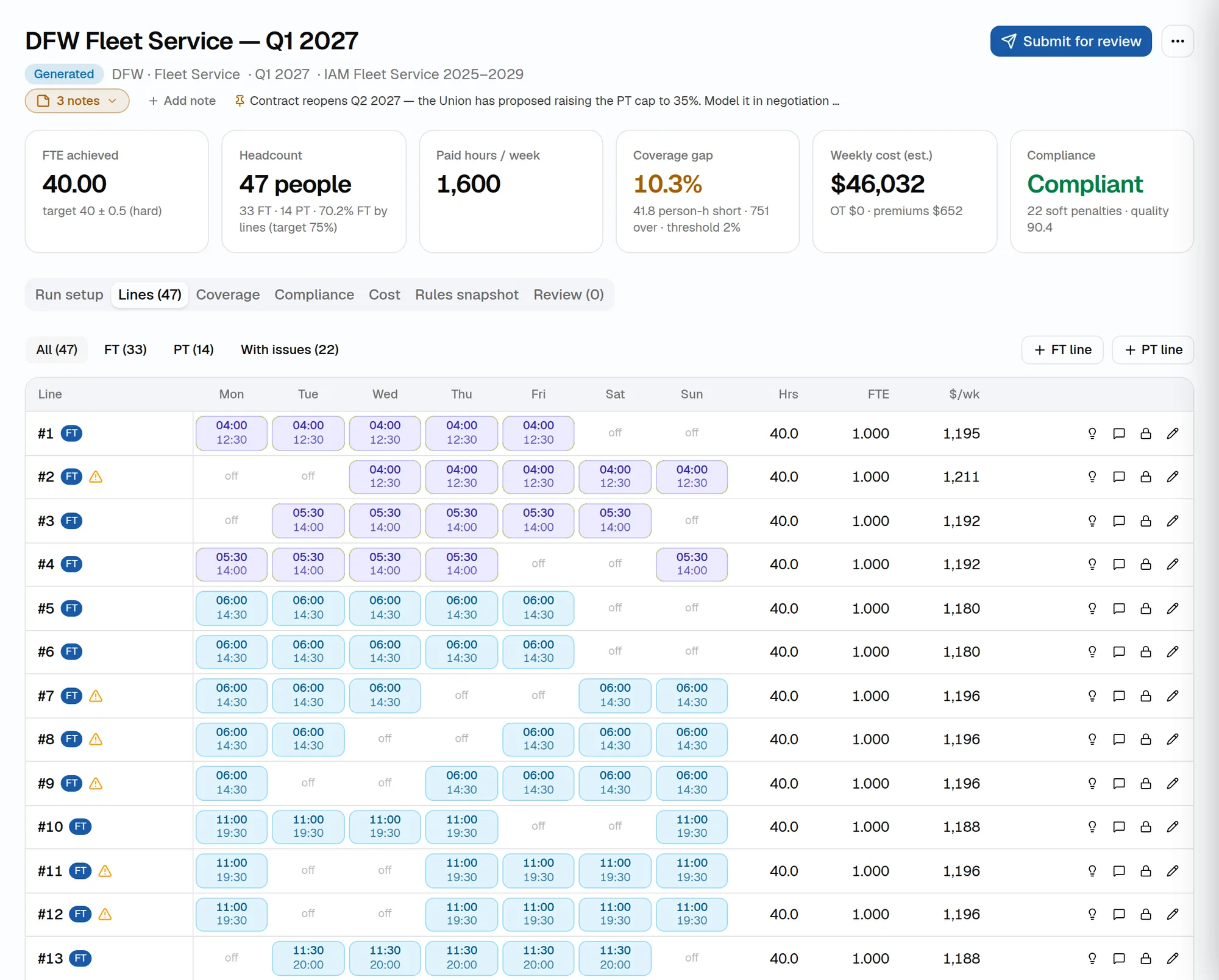
Choose the target — most optimal, FT % and headcount, or exact line counts — and the solver builds full-time and part-time lines with breaks, against the curve and every hard rule. Lock lines, edit by hand and regenerate as needed.
6. Check, approve and publish
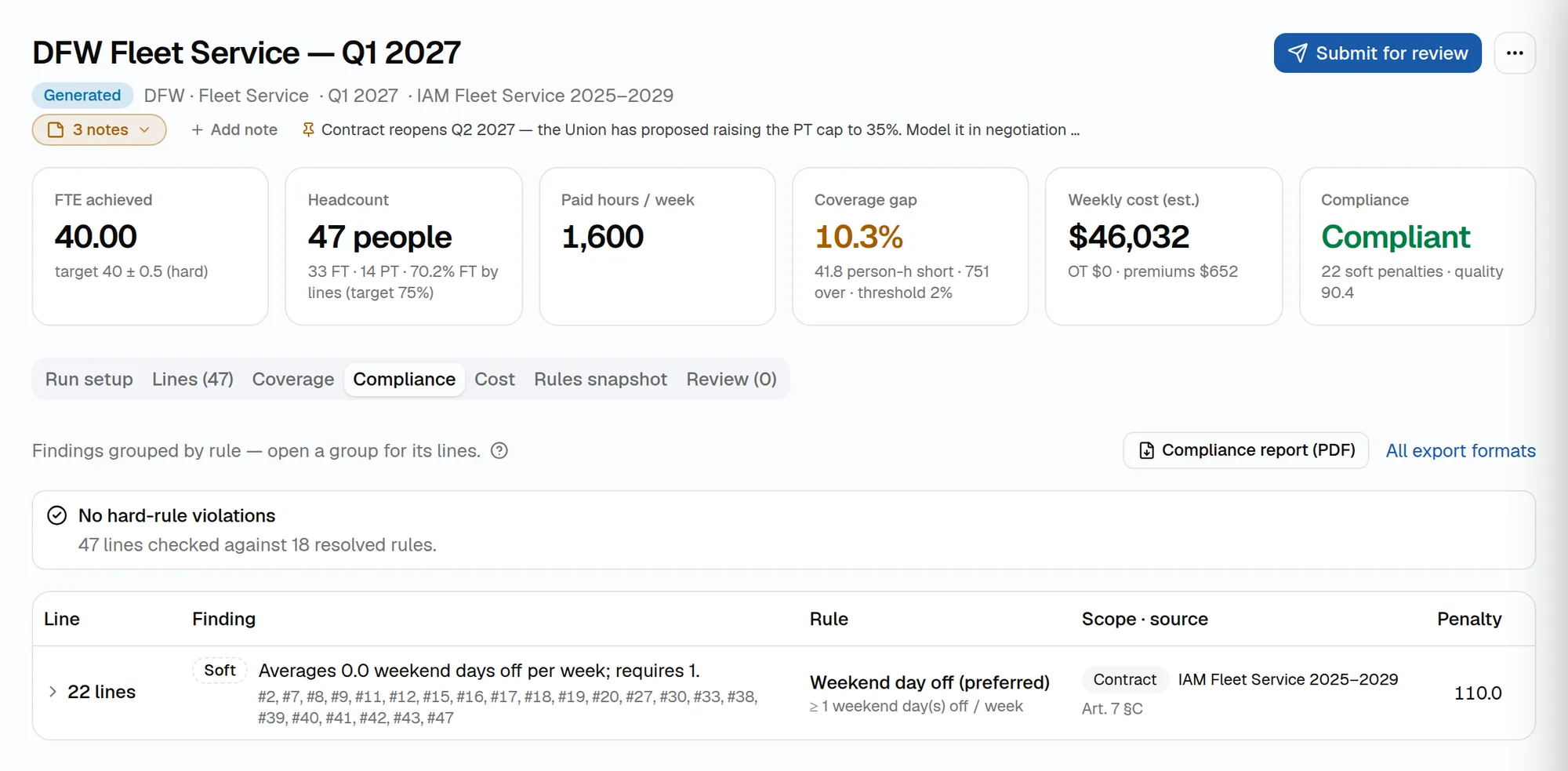
Every line is checked against the resolved rules, with citations. Compare scenarios, submit the bid for review, approve it and publish a frozen, versioned bid package — as PDF, Excel, CSV or your bidding system’s format.
See ShiftLine with your own flights and contracts
Book a walkthrough with your schedule, demand standards and labor rules, or start right away in a workspace with demo data.