Demand planning
Demand forecasting from flight schedules
ShiftLine turns your flight schedule and staffing standards into staff and equipment demand per interval, for every workgroup and function at every station — and shows exactly which flights and rules drive each peak.
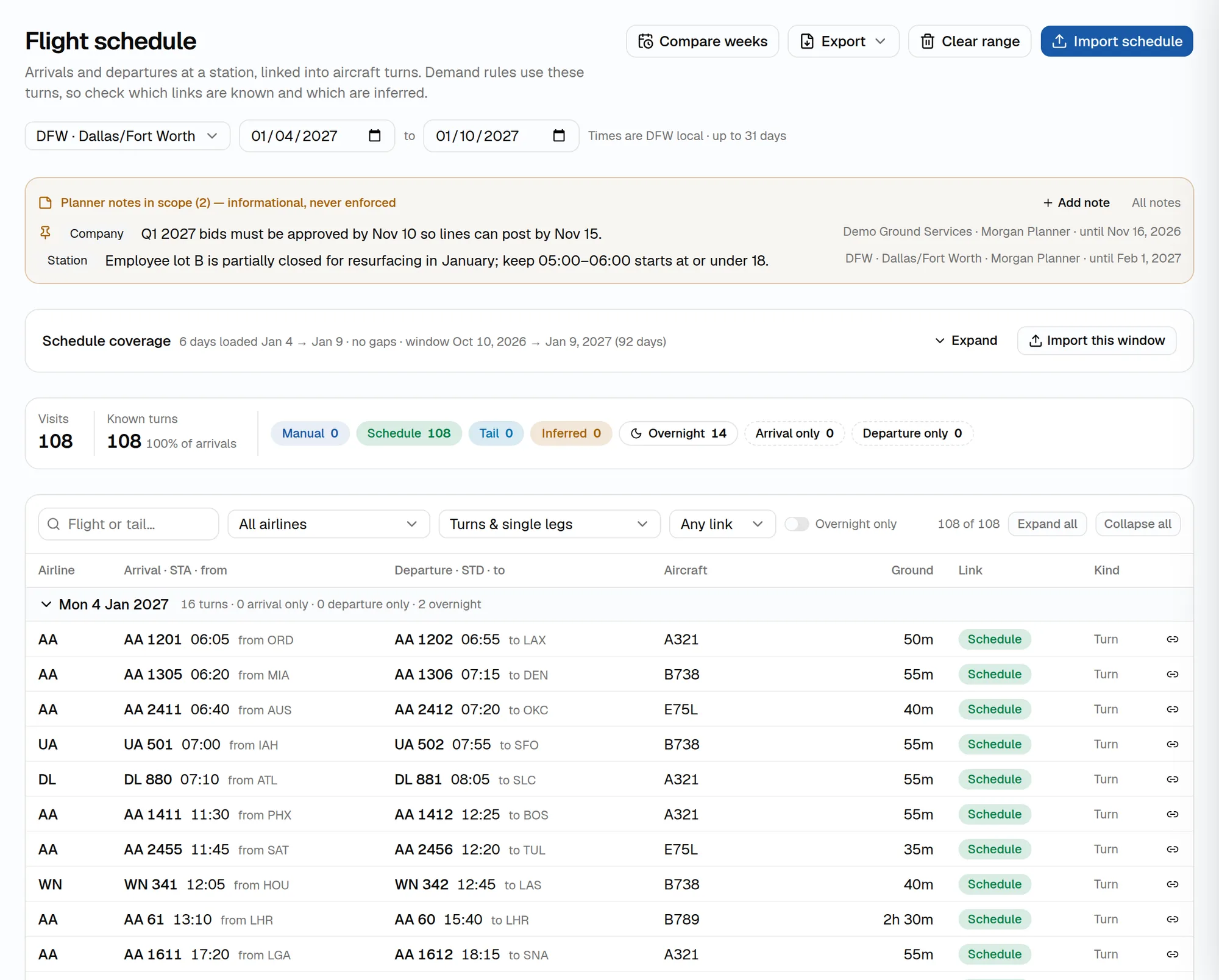
Start from the real schedule
Import flights for a station and date range from FlightAware AeroAPI (AirLabs and aviationstack are also supported), or upload an SSIM, CSV or Excel file. ShiftLine links arrivals and departures into turns and flags which links are known and which are inferred.
Already plan workload in another tool? Upload curves by day of week or date — including INFORM GS Planner workload exports — and keep them as versions next to curves built from flights.
Curves you can explain
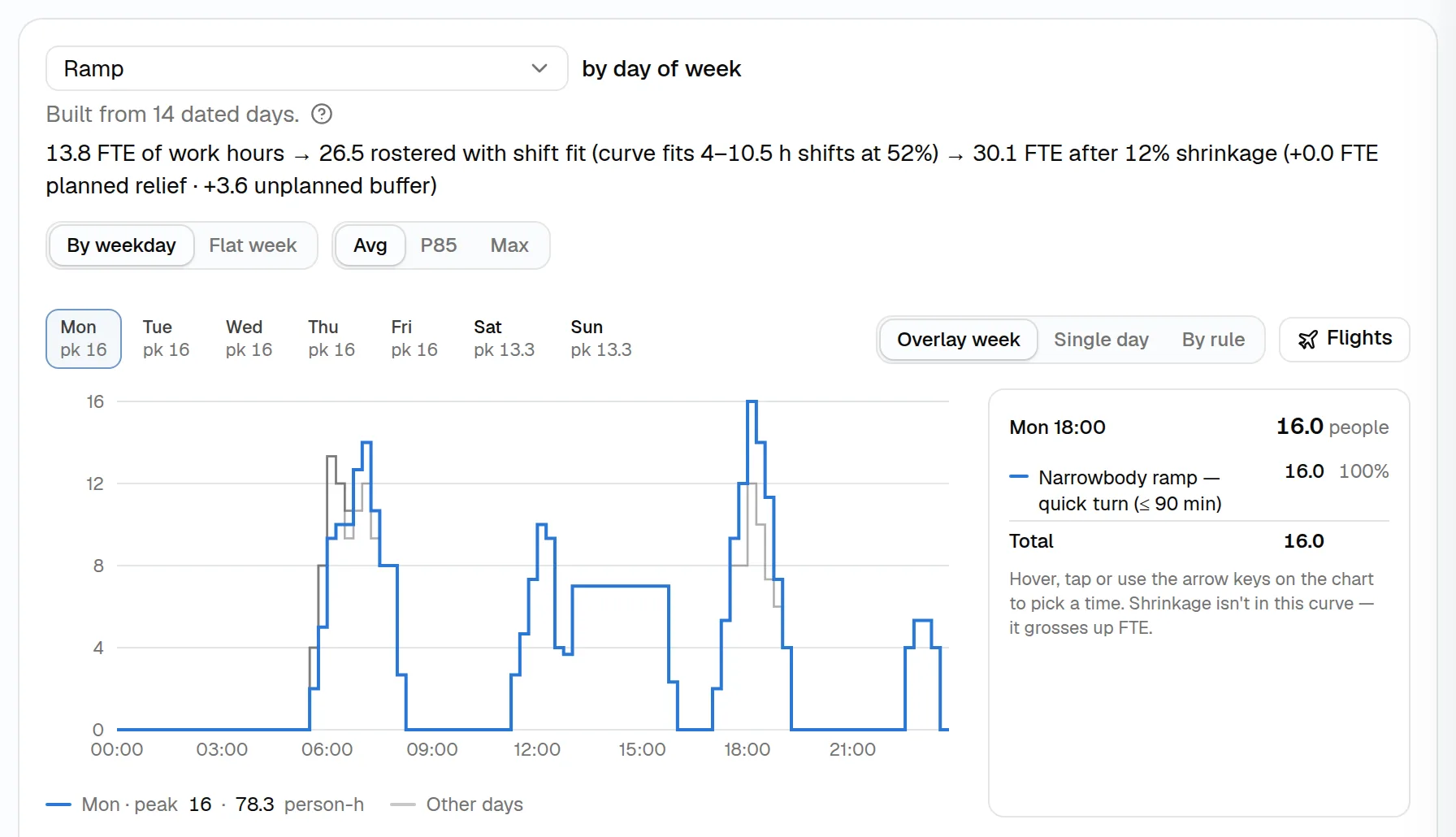
Every demand run produces curves per workgroup and function at 15-minute or other intervals:
- Average — typical demand across the loaded dates
- Realistic (P85) — each weekday planned on a real busy day, the 85th percentile of daily totals
- Max — the highest demand seen
Break any interval down by rule, and overlay the flights behind it.
From work hours to FTE
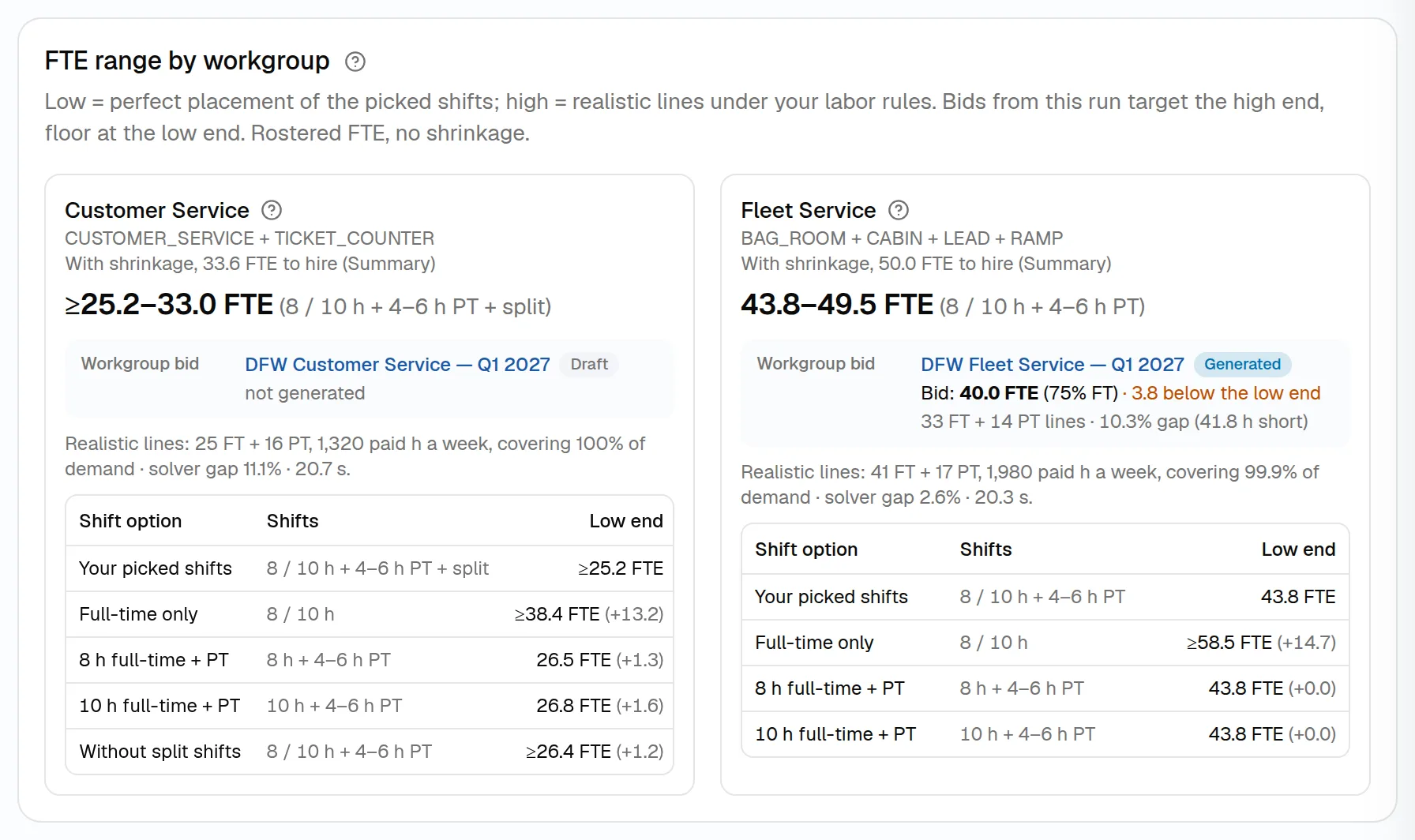
Work hours become rostered FTE through shift fit — how well the curve fits the shift lengths you allow — and then hiring FTE through shrinkage, set by month and split into planned relief and unplanned absence.
The FTE range shows the low end (perfect placement of your shifts) and the high end (realistic lines under your labor rules), with labor cost estimates per week, per turn and per departure.
Demand rules
Staffing standards for every ground function
Ramp, bag room, cabin, gate, ticket counter, leads and supervisors: describe how each flight creates work once, and apply it to every schedule.
Ground-time windows and offsets
Staff an arrival, a departure or the whole turn from an offset before or after scheduled times, filtered by airline, aircraft type, body type, service type, day or time window.Overnights (RON) and turn pairing
Arrivals and departures are paired into turns, including aircraft that remain overnight, so cabin cleaning and checks land in the right window.Floating tasks, placed optimally
Work that can happen any time inside a window is placed where it costs the fewest paid hours, instead of piling onto the peak.Passenger-driven staffing
Ticket counters and check-in sized from passenger flow with Erlang C service levels: the agents needed to answer within your target time.Ratios, minimums and standing cover
Add leads and supervisors by ratio, keep a minimum while flights are due, or staff a function for fixed hours.Equipment demand
Rules can call for equipment as well as people, so ground support equipment is planned alongside the staff who use it.
Starter staffing standards help you set up a new station quickly; adjust them to your own.
See ShiftLine with your own flights and contracts
Book a walkthrough with your schedule, demand standards and labor rules, or start right away in a workspace with demo data.